We’re excited to share a new Autom that showcases how you can send proactive notifications to Microsoft Teams users—even when no conversation exists—and capture structured responses to continue workflows.
 What This Autom Does
This Autom allows you to:
-
Detect if a user exists in Microsoft 365.
-
Check whether your Teams bot is already installed for that user.
-
Install the bot automatically if it’s missing.
-
Fetch the 1:1 chat with the user and deliver a notification (Adaptive Card).
-
Collect the user’s response through interactive buttons and continue the workflow accordingly.
 Why It Matters
Until now, most Teams interactions started only when a user messaged a bot. This Autom changes that by enabling proactive messaging:
-
Notify users about incidents, SLA breaches, or HR reminders.
-
Send alerts directly to the right people without waiting for them to start a conversation.
-
Seamlessly switch from a proactive message to a user-initiated conversation if the user responds.
 How It Works (Step by Step)
-
Webhook trigger receives data (e.g., a request, incident, or reminder).
-
Autom looks up the target user in Microsoft 365.
-
If the Teams bot isn’t installed, Autom installs it automatically.
-
Autom retrieves the chat ID and sends an Adaptive Card notification with interactive buttons.
-
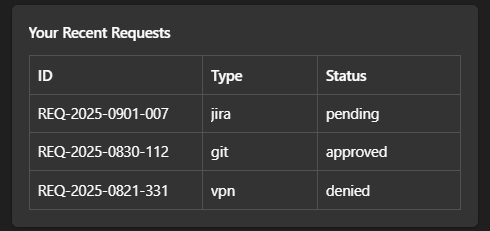
User clicks a button (e.g., Approve, Show My Requests, Acknowledge).
-
Autom captures the response and runs the matching branch of your workflow.
 Example Use Case
On-Call Incident Acknowledgement
-
Monitoring system triggers a webhook when a critical incident occurs.
-
Autom checks the on-call engineer in M365, installs the bot if necessary, and sends a Teams notification.
-
The engineer receives an Adaptive Card with options like Acknowledge, Escalate, or View Runbook.
-
Their response updates the system instantly, closing the loop in seconds.
 Requirements
To run this Autom, you’ll need:
-
A registered Teams bot (see our installation guide)
-
Microsoft Graph API Application (app-only) permissions:
-
User.Read.All -
TeamsAppInstallation.ReadWriteForUser.All -
TeamsAppInstallation.ReadForUser.All
-
 Get Started
Import the Autom, configure your client_id, client_secret, teams_app_id, and you’re ready to send proactive notifications to your Teams users.
This Autom is available for free in the Autom Store. Download it today, try it out, and adapt the Adaptive Cards to your own scenarios!
Version:
This Bot is supported on Autom Mate versions 4.7.1 and above.
 Screenshots from Examples