Issue: Users encounter an error when trying to save the “Send Message” action in Autom, often labeled as “Microsoft Teams Save Error.”
Integration: Microsoft Teams
Action: Send Message
Root Cause: The Azure Client Secret used in the Vault credential has expired or has been removed. This prevents successful credential validation during save.
Fix Steps:
- Go to the Azure Portal and open the Bot Resource associated with Microsoft Teams.
- Navigate to the Certificates & Secrets section.
- Delete the expired client secret.
- Create a new client secret and copy the generated Value.
- Open Autom Mate and go to the Vault.
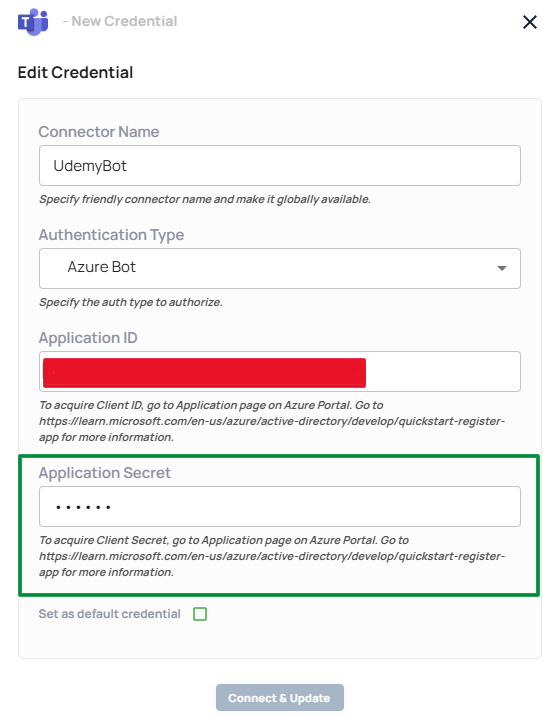
- Update the relevant Microsoft Teams credential by replacing the Application Secret with the new one.
- In your Autom, temporarily select another credential, save, then reselect the updated one.
- Save the Autom and run it again.
Resolved in: By updating the Vault credential and reselecting it in Autom.
Status:  Resolved
Vault Screen
Log Screen
